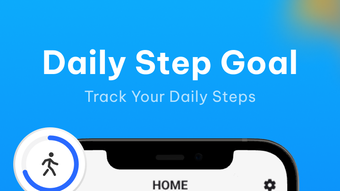

Download Step Pedometer GPS Tracker – step tracker, GPS route, fitness app, walking goals, health assistant
Overview
Step Pedometer: GPS Tracker is a free Android application designed to assist users in monitoring their physical activity with precision and ease. The app serves as a comprehensive health and fitness companion by tracking daily steps, distance traveled, and calories burned, offering users a clear picture of their movement patterns throughout the day. It is engineered to function reliably whether the device is held in hand, placed in a pocket, or carried in a bag, ensuring consistent data collection even with the screen locked.
The inclusion of GPS tracking enables users to visualize their walking routes, providing valuable insights into their exercise habits and geographical movement. This feature is particularly beneficial for outdoor walkers, runners, and daily commuters who wish to analyze their travel paths. The app also supports personalized daily goals, allowing users to set targets and track their progress over time.
Additional tools such as hydration reminders, weight and BMI tracking, and daily educational posts on walking and exercise further enhance its role as a holistic health assistant. It is especially suited for individuals new to fitness or those aiming to establish a sustainable routine. The developer did not provide additional information about the company or background.
Key Features & Capabilities
- Step Tracking: Accurately counts steps regardless of device placement—held, in pocket, or in a bag—ensuring reliable data even with the screen off.
- GPS Route Visualization: Records and displays walking or running paths, allowing users to review and analyze their movement patterns over time.
- Personalized Goals: Users can set daily step, distance, or calorie targets and monitor progress through built-in performance reports.
- Health & Wellness Tools: Includes features for tracking weight, BMI, and hydration levels, promoting a well-rounded approach to personal health.
- Daily Educational Content: Delivers short, informative posts on walking benefits, exercise science, and healthy lifestyle habits to keep users engaged and informed.
- Performance Reports: Generates summaries over various timeframes (daily, weekly, monthly) to help users assess long-term fitness trends.
These capabilities make the app ideal for users seeking to improve daily activity levels, maintain consistent exercise habits, or simply gain better insight into their movement. The GPS feature supports outdoor users who want to map their routes, while the goal-setting tools encourage motivation and accountability. The integration of wellness reminders and educational content strengthens its utility beyond basic tracking, positioning it as a multifunctional health companion.
User Interface, Workflow & Performance
The app features a clean, user-friendly interface designed for intuitive navigation. Core functions such as step count, distance, and calorie burn are displayed prominently on the main screen, allowing users to access key metrics at a glance. Navigation is straightforward, with menu options organized to support quick access to settings, goal tracking, route history, and health data.
The workflow is optimized for minimal interaction—users can set goals once and monitor progress without constant input. The developer did not specify resource usage details, so exact performance behavior, such as CPU or RAM consumption, remains unknown. However, based on general software behavior patterns, the app is expected to operate efficiently during active tracking sessions while minimizing background impact.
Stability and reliability appear to be prioritized, as the app continues to track steps even with the screen locked. No reported issues with crashes or data loss were mentioned in the provided information.
Compatibility & System Requirements
Step Pedometer: GPS Tracker is designed for Android devices, making it accessible to a wide range of users with Android smartphones or tablets. The application supports the latest versions of the Android operating system, though specific version requirements were not listed. Installation size is not specified, and the developer did not provide detailed hardware requirements.
Exact system requirements were not listed, so users should ensure their device meets standard Android app compatibility standards. Compatibility information was partially provided, and no restrictions were noted for specific device models or screen sizes. Users are advised to check their device’s app store for availability and ensure sufficient storage space before installation.
Pros and Cons
Pros
- Free to download and use with no in-app purchases mentioned
- Accurate step tracking in multiple device positions
- Integrated GPS for route mapping and visualization
- Personalized goal setting with performance reports
- Comprehensive health tools including BMI and weight tracking
- Educational content to support long-term fitness engagement
- Works reliably with screen locked, ideal for hands-free use
Cons
- Only available for Android, no support for iOS or other platforms
- Exact system requirements and file size not specified
- No information on battery consumption during long tracking sessions
- Developer background and company details not provided
- Performance data under heavy usage not available
FAQ Section
Is Step Pedometer: GPS Tracker available for iOS devices?
The app is currently designed for Android users only. There is no official version available for iOS devices at this time.
Does the app require an internet connection to track steps?
Basic step tracking can function offline. However, GPS route mapping and some features like cloud sync or educational content may require an internet connection.
Is the app secure and does it collect personal data?
The developer did not provide specific information about data privacy or security practices. Users should review the app’s privacy policy in the Google Play Store for details on data handling.
How often are updates released for the app?
Update frequency was not specified. Users are advised to check the app store for new versions and improvements.
Can I use the app without creating an account?
Yes, the app can be used without registration. All data is stored locally on the device unless otherwise stated in the app’s privacy policy.
Final Thoughts
Step Pedometer: GPS Tracker stands out as a practical and accessible tool for Android users focused on improving their physical activity and overall health. Its combination of accurate step tracking, GPS route visualization, and supportive wellness features makes it a strong choice for individuals beginning their fitness journey or maintaining consistent walking habits. The inclusion of educational content and performance reports adds depth, encouraging long-term engagement.
While platform limitations and lack of detailed system information are notable drawbacks, the app’s core functionality remains robust and user-friendly. For those seeking a free, reliable, and feature-rich step tracker with route mapping, this app delivers significant value. Download Step Pedometer GPS Tracker now.







